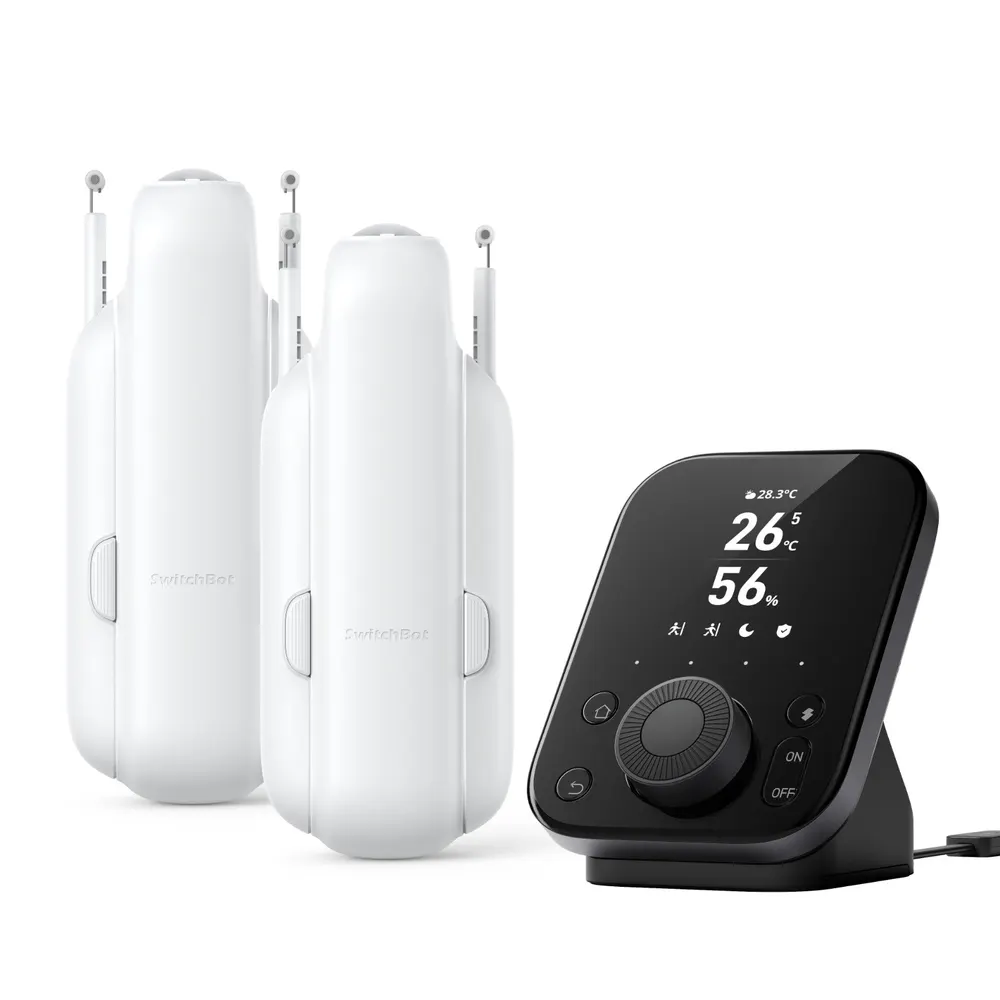
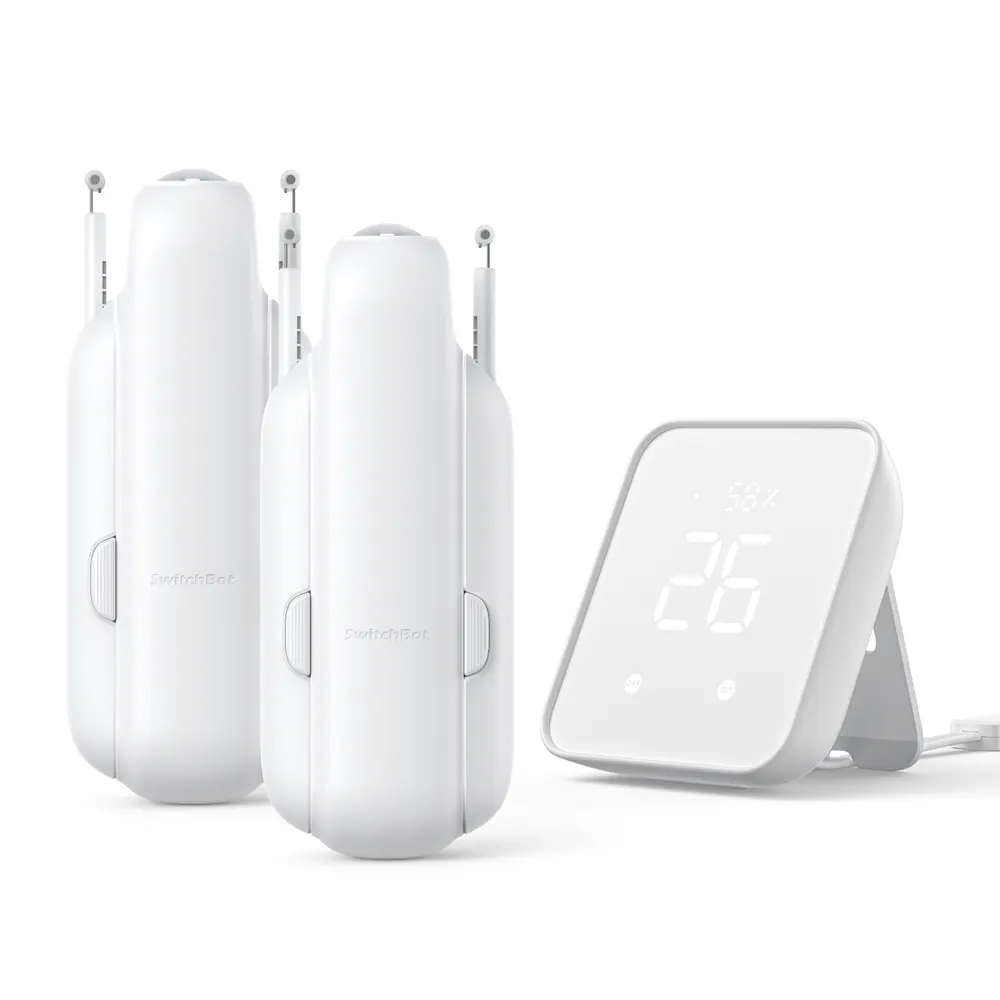
 Shown: 2-Pack + Hub 2, rod style
Curtain 3 Matter Combo
A SwitchBot smart curtain bundle: two (or four) Curtain 3 robots plus a SwitchBot hub, so your existing curtains open on a schedule, by voice, or from Apple Home, Google Home and Alexa.
4.67 / 5 from 9 reviews on the SwitchBot Canada page (at time of writing)List price for your selection
CA$362.99 2-Pack + Hub · Rod · Hub 2
Price shown on ca.switch-bot.com at time of writing. The store sometimes runs code-based promotions, so the final price may be lower or higher. Always check the store.
Bundle
Style
Hub
These buttons only update the price preview here. Pick the same options again on the SwitchBot page.
You check out on the official SwitchBot store. GadgetPromoZen is an independent showcase. We don’t sell, ship or handle payments; your order, delivery, returns and warranty are with SwitchBot. We may earn a commission if you buy through our links.
At a glance
- Works in Apple Home, on HomePod and Apple Watch through Matter, via the included hub
- Upgraded motor that SwitchBot rates for curtains up to 15 kg
- QuietDrift mode, quoted at about 25 dB, for slow, quiet opening
- Magnetic alignment so two-panel curtains meet in the middle
- Runs scenes with other SwitchBot gear, such as sensors and buttons
Will it fit my curtains?
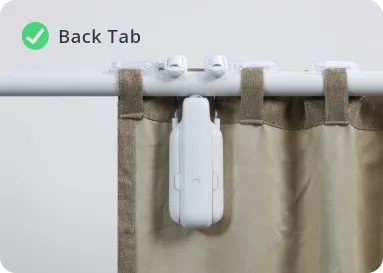
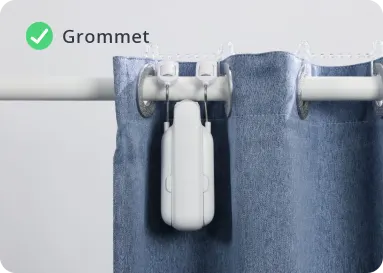
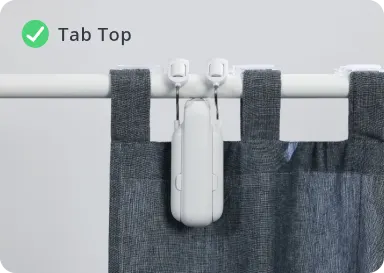
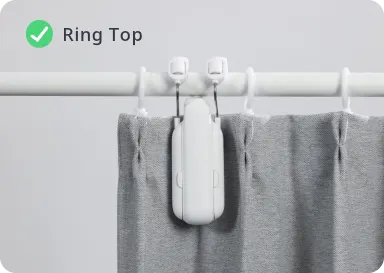
It clamps onto rods 15 to 40 mm thick and comes in Rod or U Rail versions, with I Rail requirements also published. It handles extendable rods and back tab, grommet, tab top and ring top curtains. One unit covers up to 3 m of track. See the fit guide below.
Warranty
SwitchBot covers its products for 1 year. Warranty claims go straight to SwitchBot. Their contact details are in the support section.
Curtains that finally join the rest of your smart home.
Bluetooth alone keeps the Curtain 3 tied to your phone. The hub in this combo bridges it to Matter, which lets Apple Home, HomePod and Apple Watch control it, along with Google Home, Alexa and SmartThings. It all runs from one setup, so you don’t need a separate app for every room.
- Works with
- Apple Home
- Google Home
- Alexa
- SmartThings
- IFTTT
- Siri Shortcuts
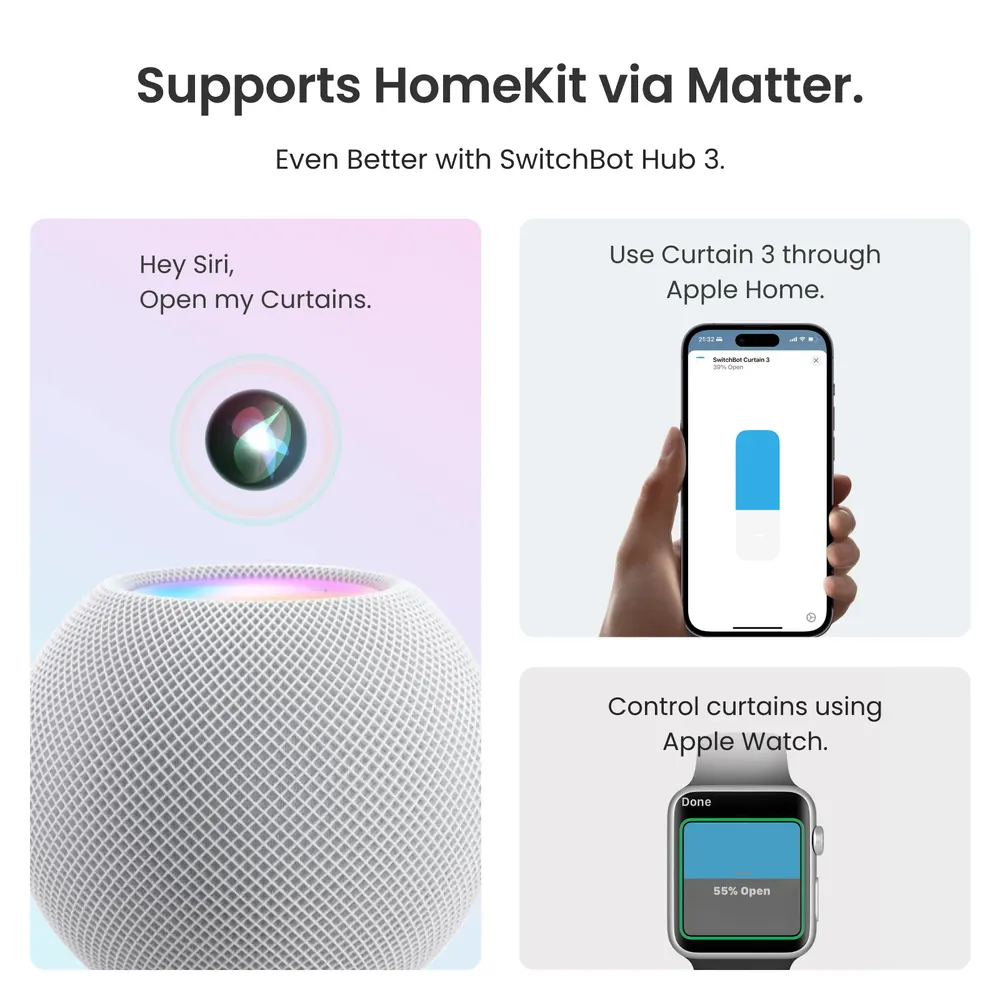
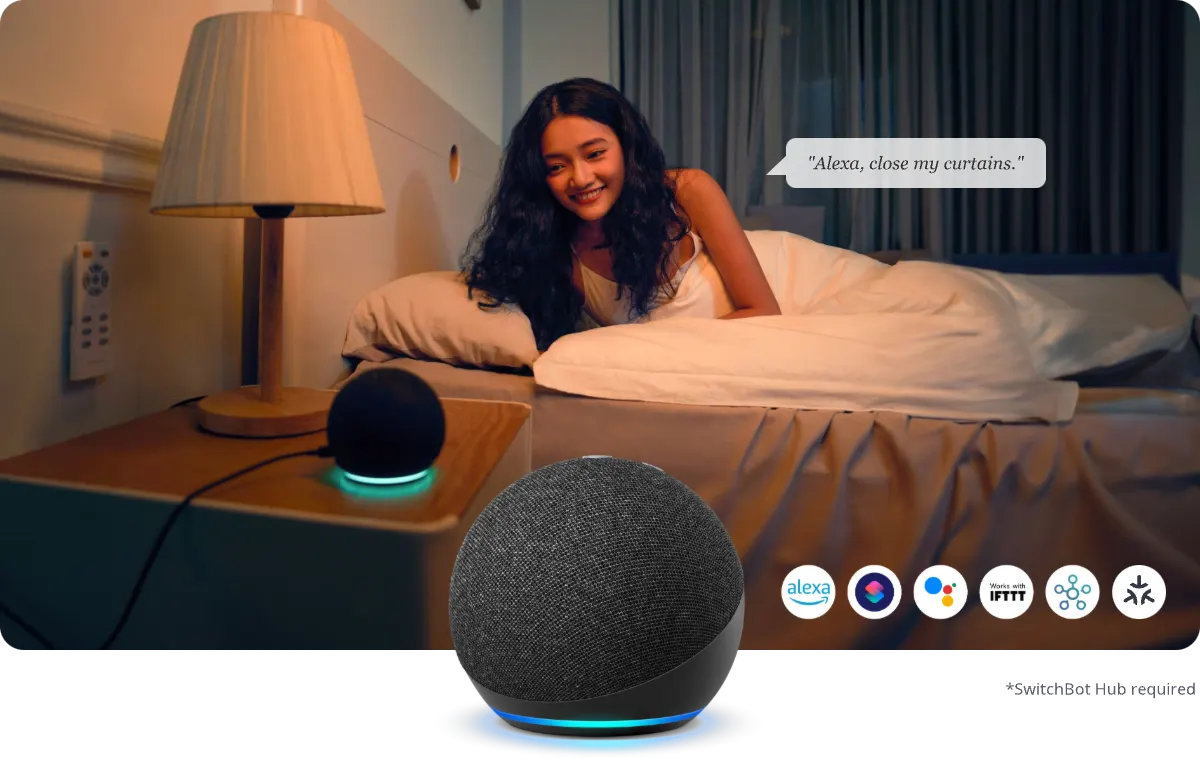 “Alexa, close the curtains.”
Say it from bed.
When the hub links the curtains to a voice assistant, closing them takes one sentence. Group several windows into a single phrase, or add the curtains to a goodnight routine that also turns off lights and plugs.
Voice control requires a SwitchBot hub. One is included in this combo.
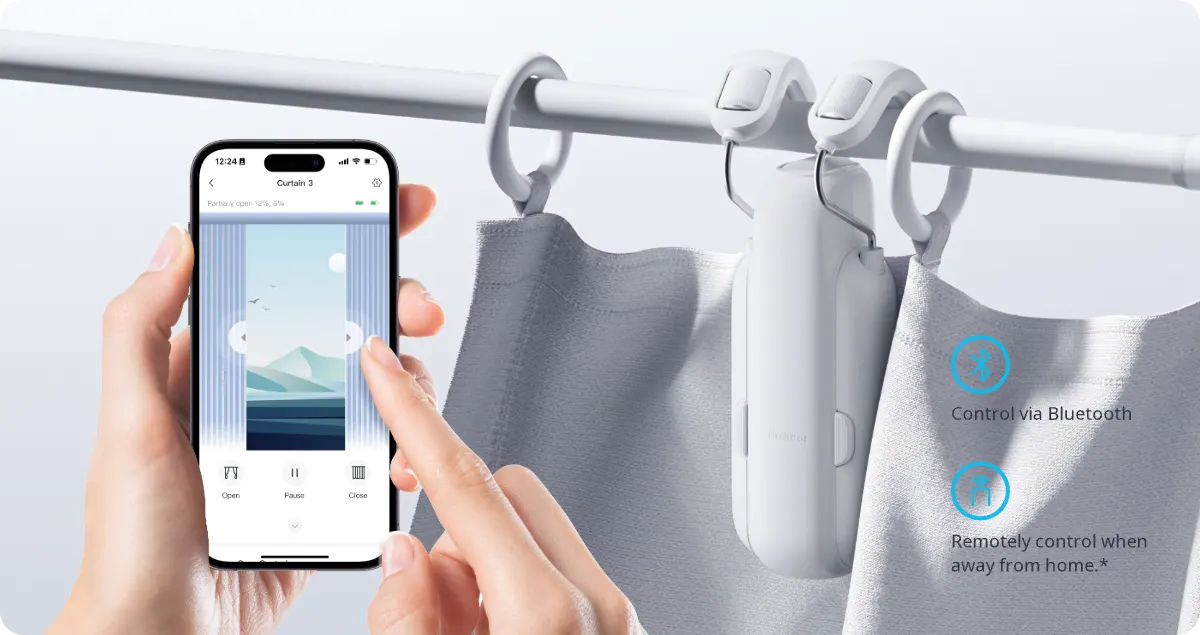 Open to 40%
Or just tap it.
The SwitchBot app shows each curtain’s position and lets you set it exactly: fully open, fully closed or anywhere between. Over Bluetooth it works in the room. Through the hub it also works when you’re away, so you can draw the curtains at dusk while travelling.
Remote control away from home requires a SwitchBot hub.
What the hub adds
Curtain 3 works alone over Bluetooth, but some features need a hub. This table follows SwitchBot’s own comparison, which uses Hub 2.
| Feature | Curtain 3 alone | With hub |
|---|---|---|
| App control (Bluetooth) | Yes | Yes |
| Delay start & Touch&Go | Yes | Yes |
| QuietDrift mode | Yes | Yes |
| Timers | Up to 5 | Unlimited |
| Remote control away from home | No | Yes |
| Matter (Apple Home etc.) | No | Yes |
| Alexa & Google Assistant | No | Yes |
| IFTTT & Siri Shortcuts | No | Yes |
| Light / temperature triggers, touch buttons | No | Yes (Hub 2) |
| Scenes with other SwitchBot devices | No | Yes |
Hub Mini Matter
The cheapest combo. It’s a small Matter bridge with no display, a good fit if you only want the curtains in Apple Home, Google Home or Alexa.
Hub 2
The default in SwitchBot’s listing. It has a digital display, two buttons and a built-in temperature, humidity and light sensor, so the curtains can react to the room.
Hub 3
The most expensive option. It adds a larger display, a dial and buttons, and can also control third-party Matter devices and IR remotes.
Installs without tools or rewiring.
Curtain 3 hangs on your existing rod or rail and pushes the curtain along it. SwitchBot says a unit takes about 30 seconds to fit. Plan on a few minutes per window the first time.
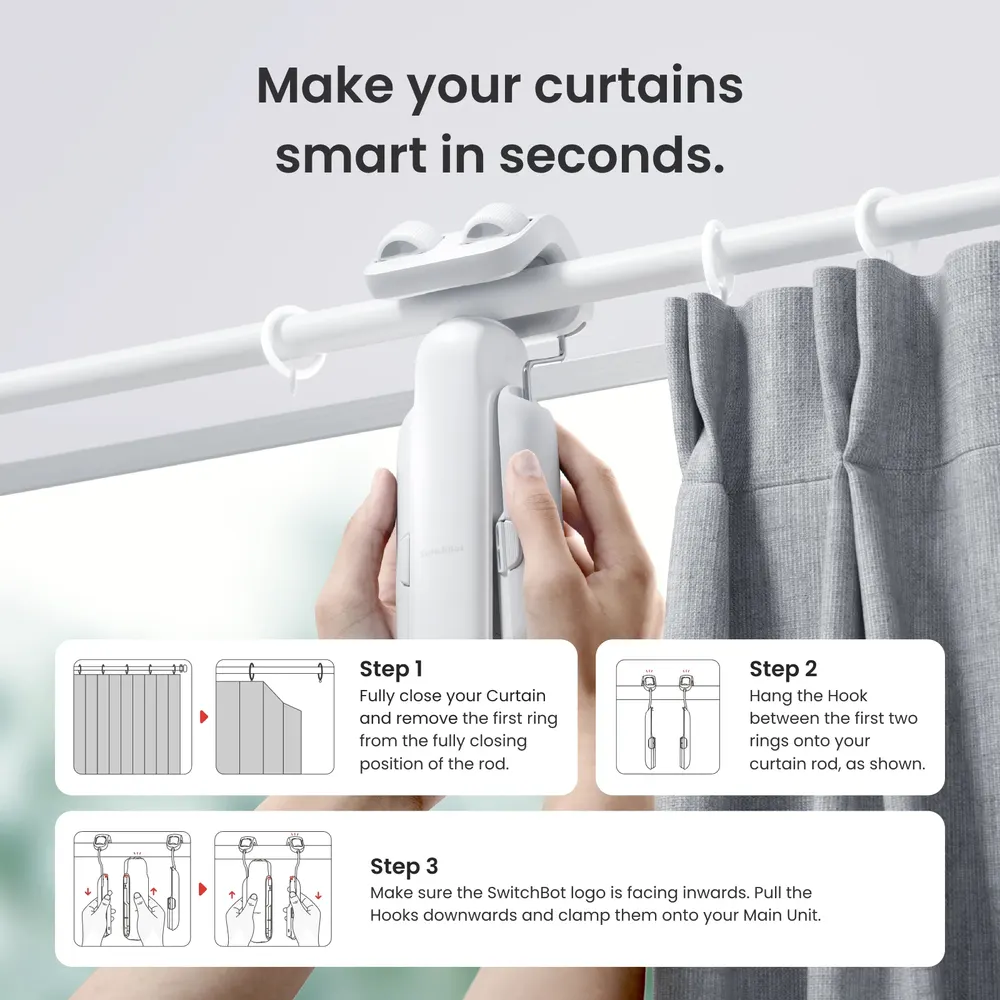
Clip it on
Hook the robot onto the rod or rail behind the first curtain ring, using the DynamiClamp mount for your track style.
Calibrate the run
In the app, slide the curtain to its open and closed points so the robot learns the track length (up to 3 m per unit).
Pair the second side
For curtains that meet in the middle, pair both robots for dual-open mode. The magnets help the two panels line up.
Add the hub
Plug in the hub, add it in the app, then turn on Matter or link Alexa or Google Home.
How the track fits
The store sells this combo in Rod and U Rail styles, and SwitchBot publishes I Rail requirements too. Here is where the robots sit on a typical double curtain. Check your measurements against the numbers below before ordering.
- DynamiClamp. Each robot hooks onto the rod behind the first curtain ring.
- Push, don’t pull. The robot drives the inner edge of its panel open or closed.
- Magnets in the middle. Paired for dual-open, the two panels line up where they meet.
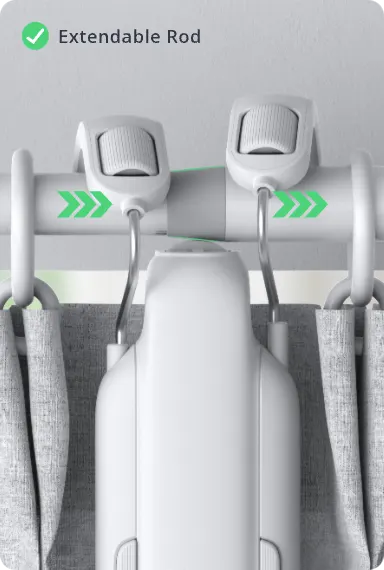
- Extendable rods. It crosses the joint where two rod sections meet.
- Up to 3 m per unit. Longer track? SwitchBot recommends one unit per side.
Rod store option
- Diameter
- 15 – 40 mm
- Circumference
- 47 – 125 mm
U Rail store option
- A (width)
- > 10.5 mm
- B (height)
- > 3.5 mm
- C (opening)
- 3 – 10 mm
- H (lip)
- 0 – 3.5 mm
I Rail published spec
- A
- < 4 mm
- B
- > 11 mm
- C
- < 3.5 mm
- D
- 8 – 17 mm
Profiles are simplified drawings. Check SwitchBot’s user manual for the exact measuring points. Got a track longer than 3 m? SwitchBot recommends one unit per side. The 4-Pack bundle covers two double-opening windows.
Curtain styles it handles
SwitchBot calls the mount DynamiClamp. One clamp design adapts to these common curtain styles.
What reviewers keep pointing out
We read the video reviews featured on SwitchBot’s page and the owner reviews below them. These are the themes that came up again and again, paraphrased in our own words.
The big change from earlier models is noise. QuietDrift moves the curtain slowly enough that it barely registers.
Common point in tech video reviews
The motor is noticeably stronger, so heavy blackout curtains are no longer a problem.
Raised by several reviewers
It pairs well with a solar panel, which means far less recharging.
Frequent suggestion
Matter support is what makes it usable across Apple, Google and Amazon homes at once.
Recurring theme
Setup goes quickly. The app walks you through calibration step by step.
What owners commonly mention
Which Curtain 3 combo fits you?
SwitchBot sells three combos. This page covers the Matter Combo. Here’s how it compares, based on the store’s own chart.
| Combo | 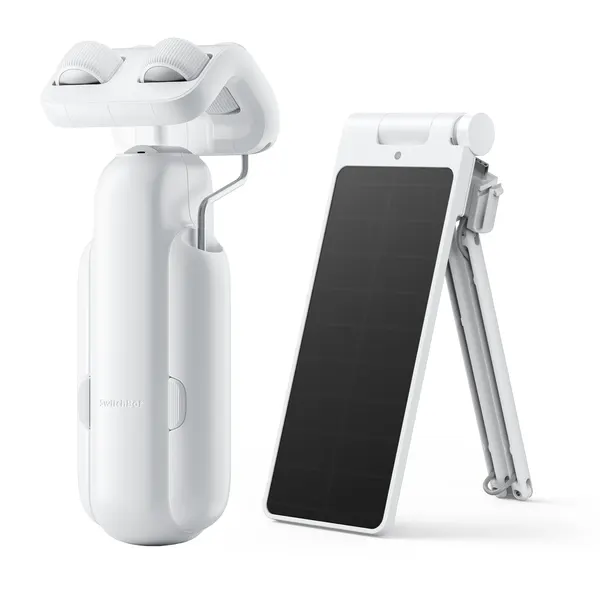 Solar Combo | 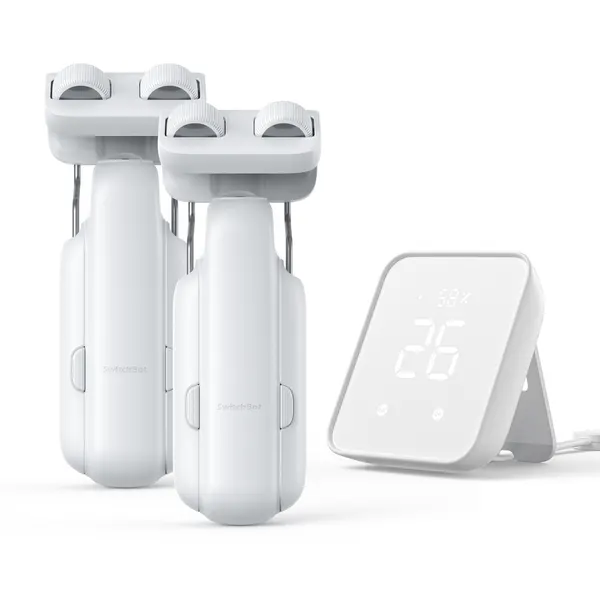 Matter Combo this page | 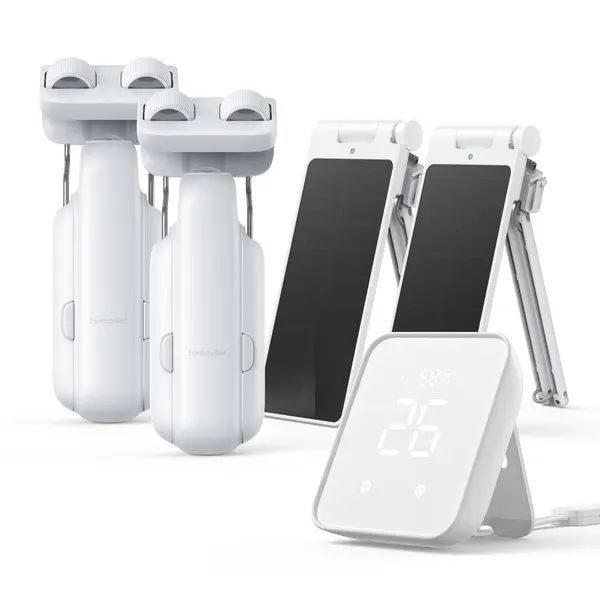 Solar Matter Combo |
|---|---|---|---|
| Solar panel included | Yes | No | Yes |
| Matter via hub | No | Yes | Yes |
| Remote control included | No | No | No |
| Best for | Sunny windows, no recharging | Homes that mix Apple, Google and Alexa | Both: solar power and Matter |
| Buy | Buy at SwitchBot |
Thinking about solar later? The Curtain 3 charges over USB-C, so you can add a SwitchBot solar panel to the Matter Combo afterwards.
Every configuration and its list price
These are the list prices shown on ca.switch-bot.com at time of writing, in Canadian dollars, before any promo code. Prices change, and the store has the final word.
| Bundle | Style | Hub 2 | Hub Mini Matter | Hub 3 |
|---|---|---|---|---|
| 2-Pack + Hub | Rod | CA$362.99 | CA$354.99 | CA$430.99 |
| 2-Pack + Hub | U Rail | CA$320.99 | CA$312.99 | CA$388.99 |
| 4-Pack + Hub | Rod | CA$725.99 | CA$709.99 | CA$861.99 |
| 4-Pack + Hub | U Rail | CA$641.99 | CA$625.99 | CA$777.99 |
What’s in the box
The contents depend on the bundle you pick. Going by the store’s bundle names and the spec sheet:
- 2× or 4×SwitchBot Curtain 3 (built-in 3350 mAh battery)
- 1×SwitchBot hub: Hub 2, Hub Mini Matter or Hub 3
- SetMounting parts for the style you chose (Rod or U Rail)
- CablesCharging and power cables (Hub 2 ships with a 2 m data cable)
- GuidesQuick-start guides. Full manuals for Rod and U Rail are on SwitchBot’s site
The exact accessory list can vary by version. Check the store listing or user manual if you need a specific part.
Specifications
From SwitchBot’s published spec sheet.
Curtain 3
- Dimensions
- 78 × 71 × 205 mm
- Weight
- 280 g
- Battery
- Built-in 18650 Li-ion, 3350 mAh
- Battery life
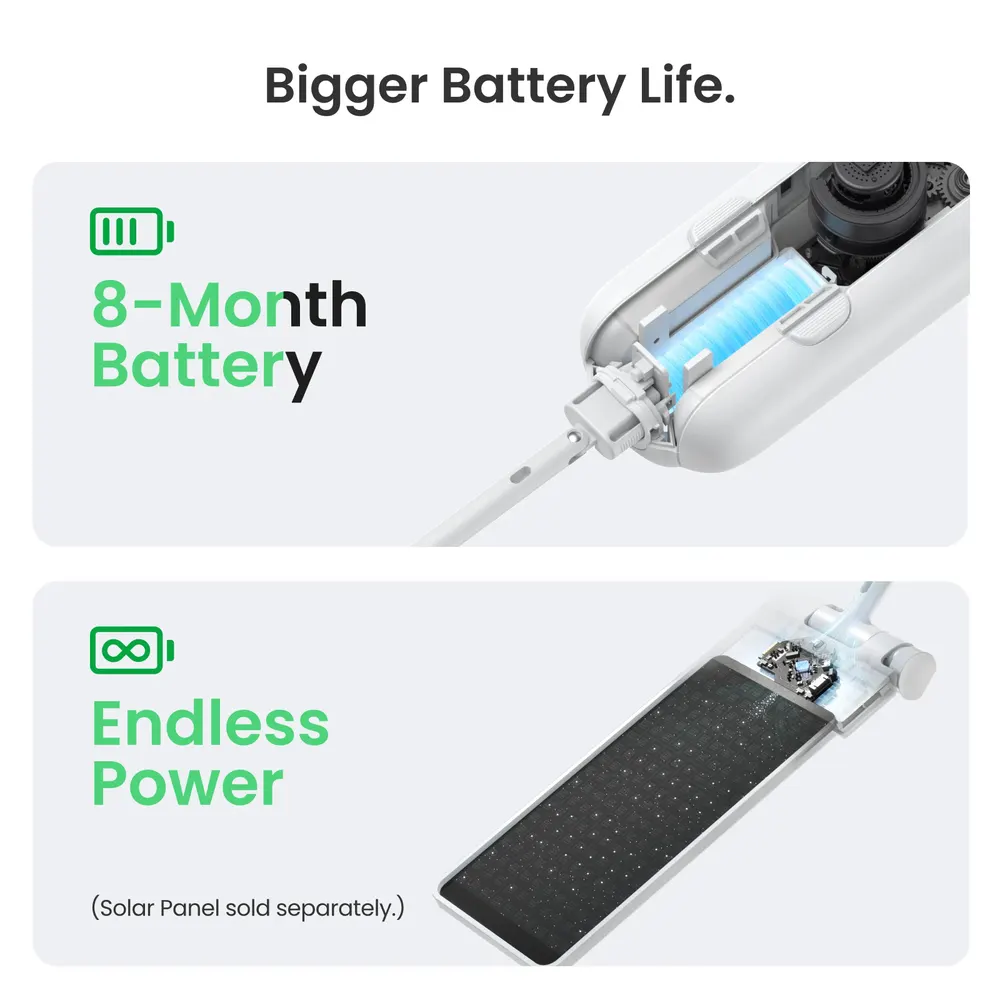
- About 8 months per full charge
- Input
- DC 5V 1A, USB-C
- Max curtain weight
- Up to 15 kg
- Track length
- Up to 3 m per unit
- Modes
- QuietDrift, Performance
- Noise
- About 44 dB at 1 m (spec table); about 25 dB in QuietDrift
- Bluetooth
- BLE 5.0+ Long Range, up to 80 m in open space
- Works with
- Alexa, Google Assistant, Siri Shortcuts, IFTTT, SmartThings; Matter via hub
- App requirements
- Android 5.0+, iOS 11.0+, watchOS 2.2+
Hub 2 (default hub)
- Dimensions
- 80 × 70 × 23 mm
- Weight
- 63 g
- Cable
- 2 m data cable
- Role
- Matter bridge, remote access, voice assistants, light/temperature triggers
Warranty
- Coverage
- 1 year from SwitchBot
Questions before you buy
The answers come from SwitchBot’s product FAQ and spec sheet. For anything order-related, contact SwitchBot directly.
View the combo at SwitchBotHow much track can one Curtain 3 handle?
Up to 3 m. For longer tracks, SwitchBot recommends using two units, one per side.
How loud is it?
SwitchBot’s FAQ puts normal mode at up to about 42 dB, roughly library level, and the spec table lists about 44 dB at 1 m. QuietDrift mode moves the curtain more slowly and drops to around 25 dB.
Does QuietDrift affect battery life?
Yes. QuietDrift drains the battery faster, so SwitchBot suggests pairing it with a solar panel if you use it daily.
I have two robots on a double curtain. Can I move just one side?
Yes. Even in dual-open mode, you can control one side on its own from the device page in the SwitchBot app.
Do I need the hub at all?
No, not for basic use. The app controls Curtain 3 over Bluetooth, with up to five timers. You need the hub for Matter, Alexa, Google Assistant, remote control away from home and unlimited timers. That’s why this combo includes one.
Can I use the solar panel from my old SwitchBot Curtain?
Yes. Curtain 3 uses the same USB-C charging port, so the original panel works. Secure it firmly with the Velcro so it can’t fall or pull out the cable.
How long does the battery last?
SwitchBot quotes about 8 months on a full charge from the built-in 3350 mAh battery. Real-world life depends on how often the curtains move and which mode you use.
Who handles my order, shipping and returns?
SwitchBot does. Every buy button on this site goes to the official SwitchBot Canada store, and GadgetPromoZen doesn’t take orders or payments.
What owners say
Rated 4.67 out of 5, from 9 reviews on the SwitchBot Canada product page at time of writing. Most reviews were collected by the store or another provider.
What owners like
- Easy to install and pair, including with Home Assistant
- Solid, heavy build that doesn’t feel flimsy
- Works over the joint of an expansion rod
- QuietDrift is close to silent for scheduled opening
- Wake-up with daylight on a schedule
What to watch for
- Normal speed isn’t fully silent in a bedroom
- A slight delay after tapping open or close
- Check rod diameter, since very thin poles may not suit it
- QuietDrift uses more battery
- The cost adds up if both sides need a robot
- One owner noted the hub isn’t needed for app-only use
Warranty & support come from SwitchBot
The store lists these ways to reach SwitchBot about warranty claims, replacements, refunds or setup problems.
- In the app
- Profile → Support Center → Feedback
- Email SwitchBot
- support@switch-bot.com
- Call SwitchBot
- +1 866 530 2887 (toll-free)
These are SwitchBot’s contact details, not ours. To reach GadgetPromoZen about this website, use our contact page.
Ready to automate your curtains?
Pick your bundle, track style and hub on the official SwitchBot Canada store. SwitchBot handles checkout, delivery and warranty.
Buy at SwitchBot CanadaAffiliate link: we may earn a commission at no extra cost to you. Prices and availability can change.